betafpv LiteRadio 2 SE Radio Transmitter ExpressLRS 2.4G
404 orders (reference)
Description
betafpv LiteRadio 2 SE Radio Transmitter ExpressLRS 2.4G High-concerned chemical: None Compatible Drone Model: Receiver Package: Yes Weight: 0.2 Model Number: LiteRadio 2 SE Compatible Drone Brand: GoPro Origin: Mainland China
Specifications
| Attribute | Value |
|---|---|
| High-concerned chemical | None |
| Compatible Drone Model | Receiver |
| Package | Yes |
| Weight | 0.2 |
| Model Number | LiteRadio 2 SE |
| Compatible Drone Brand | GoPro |
| Origin | Mainland China |
Product Details
Main board for LiteRadio 2/LiteRadio 2 SE owner replacement.
Gimbal for LiteRadio 2 SE owner replacement.
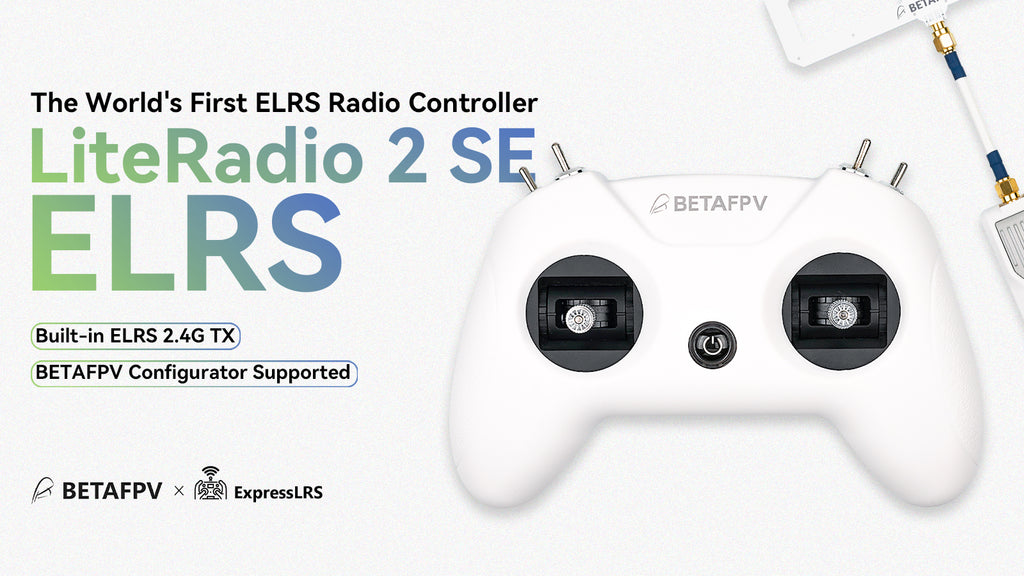
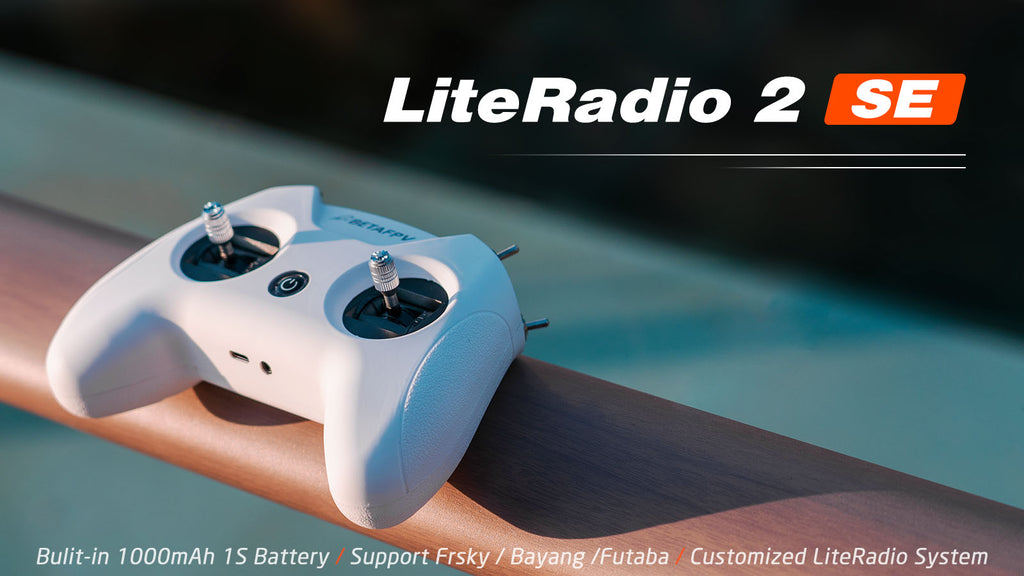
LiteRadio 2 SE Radio Transmitter is the upgraded version based on LiteRadio 2 and comes with huge improvements.
Built-in 1000 mAh 1S battery, LiteRadio 2 SE increases the endurance to 8 hours.
Updates with BETAFPV self-developed LiteRadio System. Pilots can directly operate the Joystick Calibration and Upgrade Firmware on the radio transmitter.
Supports the Frsky / Futaba / Bayang, pilots can easily change Futaba, Frsky D8, Frsky FCC D16, and Frsky LBT D16 mode via the radio transmitter.
Comes with 100mW transmitting power, LiteRadio 2 SE brings a wider operating range.
Please kindly note: D16 (FCC & LBT) protocol currently does not support the Frsky receivers with ACCST 2.0 firmware or higher, and it can only bind with ACCST 1.X firmware version XM+ receivers.
Bullet Points
Equipped with a built-in 1000 mAh 1S battery, LiteRadio 2 SE can use up to 8 hours, bringing an excellent endurance performance.
Comes with a built-in charging module, LiteRadio 2 SE can support USB charging which is more convenient to use. Meanwhile, it designs a Low-Power warning to indicate a low battery. While it needs to be re-charged(when the voltage is lower than 3.5V), the LED will turn red first, then it will turn blue and flash slowly.
LiteRadio 2 SE supports popular FPV simulators like VelociDrone, Liftoff, TRYP, DRL, DCL, DJI, etc. Compatible with desktops, Android devices, and tablets, it also features Xbox mode for seamless integration with the DJI Flight Simulator on Windows system.
Compared with the LiteRadio 2, LiteRadio 2 SE has a larger transmitting power that can reach 100mW, bringing a wider operating range.
Adopted the rubber coat, LiteRadio 2 SE is ergonomic and has the shape of a gaming controller. It's comfortable to hold, and the anti-slip texture on the handles allows for a solid grip.
This radio transmitter acts as a USB Joystick when connected to a personal computer. So you could use it to play FPV simulators like EREADRONE.
- LiteRadio 2 SE transmitter has been equipped on the Ready-to-Fly
Aquila16 FPV Kit and Cetus series. It is one of the easiest ways to get into the FPV hobby.
Specifications
Item: LiteRadio 2 SE
Color: White
Frequency Range: 2.4G (2403MHz-2447MHz)
2.4G System: CC2500 / SX1280
Channel: 8
Support Protocol: Futaba S-FHSS / Frsky FCC D16/ Frsky LBT D16 / Frsky D8 / ExpressLRS 2.4G
Power: ≤100mw
Adapted Drone Type: Multirotor
Support USB Charging / Firmware Update
Support BETAFPV Simulator Connected / Customized LiteRadio System / Joystick Calibration
LED Light: Red-Power On / Red-Warning if the voltage is lower than 3.5V / Blue-Normal
Battery: Built-in 1000mAh 1S Battery
Charging Connector: USB 3.0 Type-C
All Your Favorite FPV Simulators, One Controller
Experience the ultimate flexibility with LiteRadio 2 SE, your gateway to popular FPV simulators like VelociDrone, Liftoff, TRYP, DRL, DCL, DJI, etc. Whether you're on a desktop, Android device, or tablet, LiteRadio 2 SE ensures smooth compatibility across all platforms. With the added Xbox mode, enjoy effortless integration with the DJI Flight Simulator on Windows system and elevate your virtual flying experience to new heights.

How can I enable support for the DJI FPV simulator on LiteRadio 2 SE and LiteRadio 3?
How can I enable compatibility with Android devices on LiteRadio 2 SE and LiteRadio 3?
BETAFPV Configurator
The BETAFPV Configurator is an open-source configuration tool tailored for BETAFPV drones and remote controls. It enables pilots to effortlessly configure and fine-tune various parameters, ensuring more efficient and optimized flight control.
The BETAFPV Configurator V2.0.0, officially released in December 2024, introduces several exciting improvements:
Support macOS and Linux (Debian family) platforms.
Support almost all LiteRadio transmitters, including LiteRadio 1 (FrSky), LiteRadio 2 SE V2 (FrSky, ELRS2 & ELRS3), LiteRadio 3 (FrSky, ELRS2 & ELRS3), and LiteRadio 4 SE (ELRS3).
Resolved various known bugs for improved performance.
Download address: https://github.com/BETAFPV/BETAFPV_Configurator/releases
Manual: https://support.betafpv.com/hc/en-us/article_attachments/40772076147737
BETAFPV Configurator features:
Easy Parameter Adjustment: Designed for BETAFPV's LiteRadio series and Cetus drones with position-hold and auto-hovering features, the software allows pilots to effortlessly adjust PID controller parameters through an intuitive graphical interface, optimizing flight performance with ease.
Real-Time Feedback: Instantly displays the effects of parameter adjustments, providing real-time monitoring and helping pilots quickly evaluate and refine settings for the drones or remote controls.
Efficient Troubleshooting: With built-in diagnostic tools, the software assists pilots in checking firmware versions and product status when a issue arises, making it easier to identify and resolve issues, minimizing downtime.
Streamlined Firmware Flashing: Features a user-friendly firmware flashing mechanism for drones and remote controls, complete with guided instructions and progress indicators, ensuring smooth, error-free updates.

Note: DO NOT power on the transmitter before connecting it to the PC. Doing so will render the USB port non-functional.
How to switch the protocol
LED Status | Protocol Version |
Flash Once | Frsky FCC D16 (Only supports ACCST 1.X version) |
Flash Twice | Frsky LBT D16 (Only supports ACCST 1.X version) |
Flash Three Times | Frsky D8 |
Flash Four Times | Futaba S-FHSS |
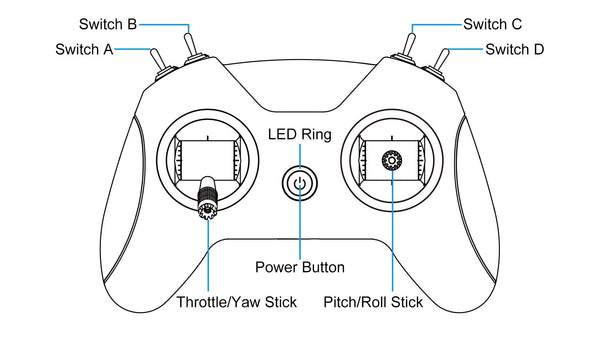
Diagram of LiteRadio 2 SE